 Download
WIFI PASSWORD GENr
2.0.0 May 6, 2026- 8.3
- 1
- 2
- 3
- 4
- 5


Start Google Now with your voice on the Galaxy Note 3 - No ROOT needed
"Start Google Now with your voice on the Galaxy Note3" - No root necessary
(does not work with security locks, including finger ID on the S5, see FAQ section for a possible solution)
References:
►going towards 100,000 installs!
►c|net video: http://www.cnet.com/videos/start-google-now-with-your-voice-on-the-note-3
►c|net article: http://www.cnet.com/how-to/start-google-now-with-your-voice-on-the-galaxy-note-3/
►Daily Note II/3: http://youtu.be/VcChz_Bs0B4
If you can't get my app to work: before leaving negative reviews...
►please see FAQ at http://sfsv.dataglobe.eu
►write to dev's email: [email protected]
I respond quickly. We have solved many problems (usually with the Samsung software and not my app) If you can't get your phone to wake to your voice w/o my app, neither Free nor Pro will fix it :-( Try Free before buying Pro
S5 owners: enable car mode for voice wake up to work. Now switching from Drive Link too!
►Dear disappointed users, Please don't rate my app low because voice wake-up doesn't work on your device. My app has little to do with that, it's a decision of Samsung and/or your carrier. It's more practical to express our frustration over this towards them → maybe they will change it in an update.
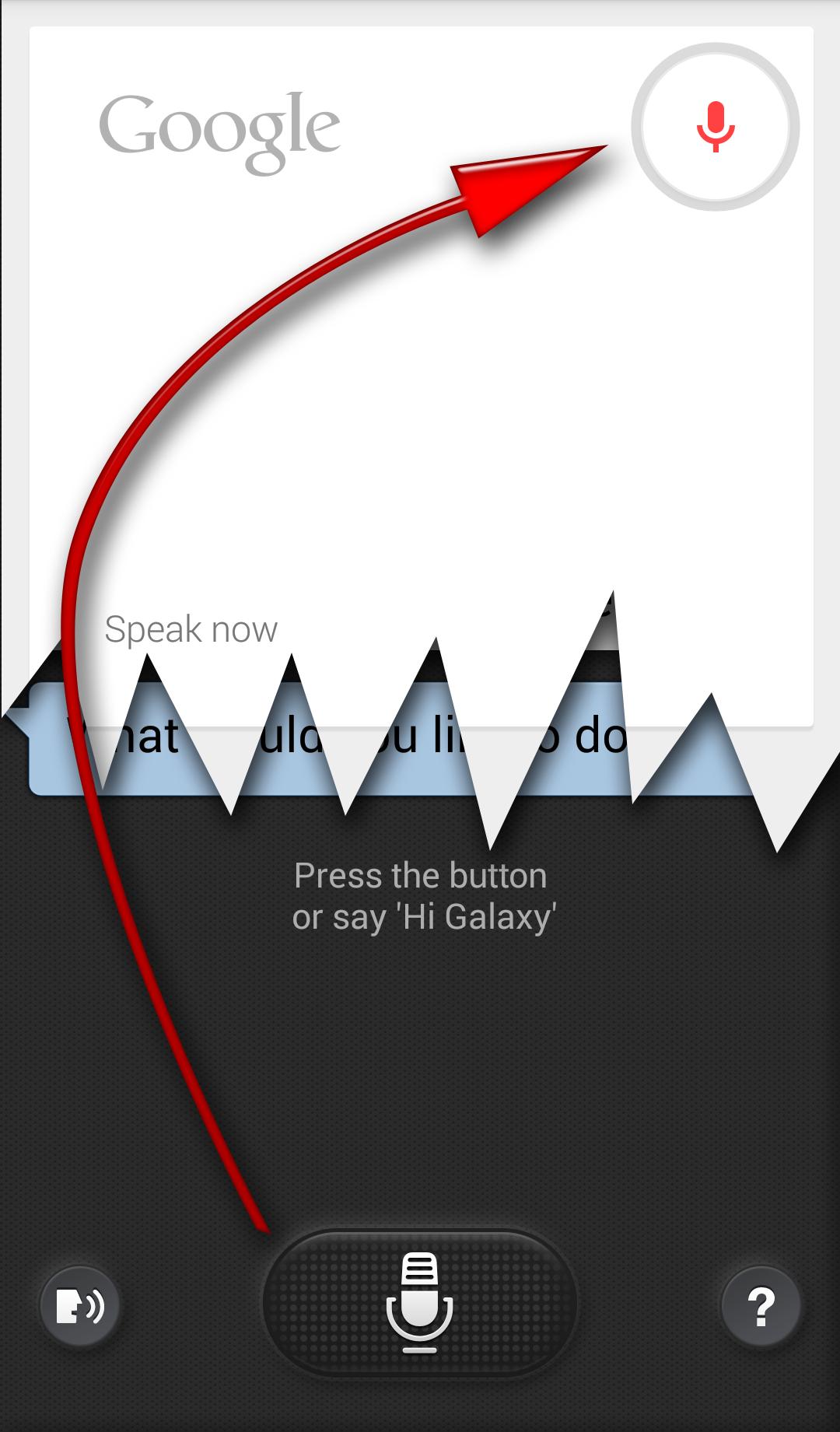
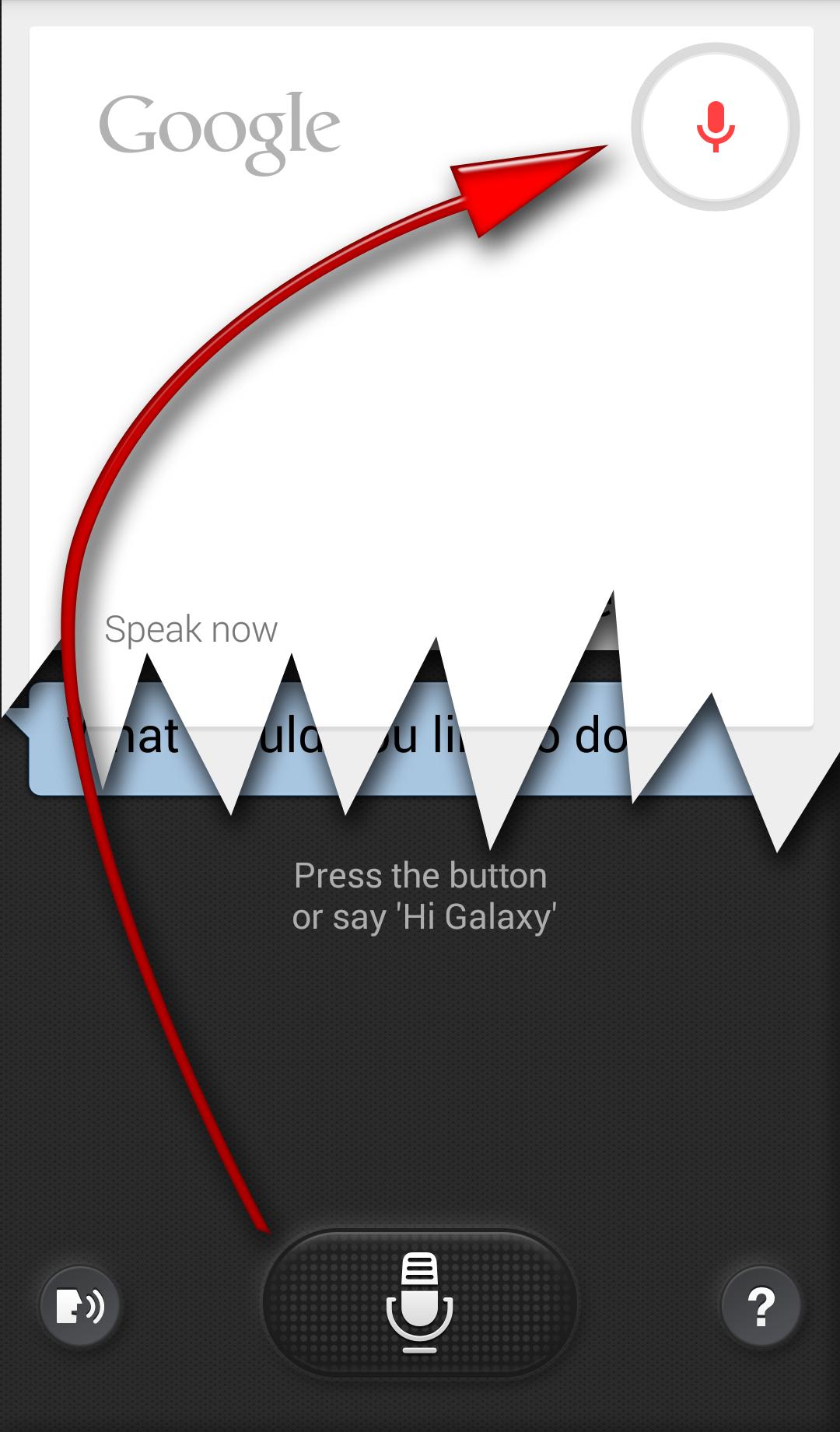
Your Galaxy Note 3 or S5 does always listening voice wake-up similar to the advertised "Okay, Google Now" Motorola Touchless Control on the Moto-X → Moto Voice
Differences:
►#1 Say "Hi Galaxy" (while the screen is off)
►#2 SVoice will try to service you, which is much less capable than Google Now
No way to fix #1 on Note3 (you can set your own command on S5,Note4), but #2 can be solved with my little app: whenever S Voice would start, you are redirected to Google Voice Search
How to set up (see video)
0►Before install: start Samsung S Voice
1►MENU / Settings
2►enable "Voice wake-up"
3►[optionally enable "Open via the home key"] (S5,Note4: long press HOME for Google)
4►test if your phone can wake to your voice
5►install this app S for Switch Voice
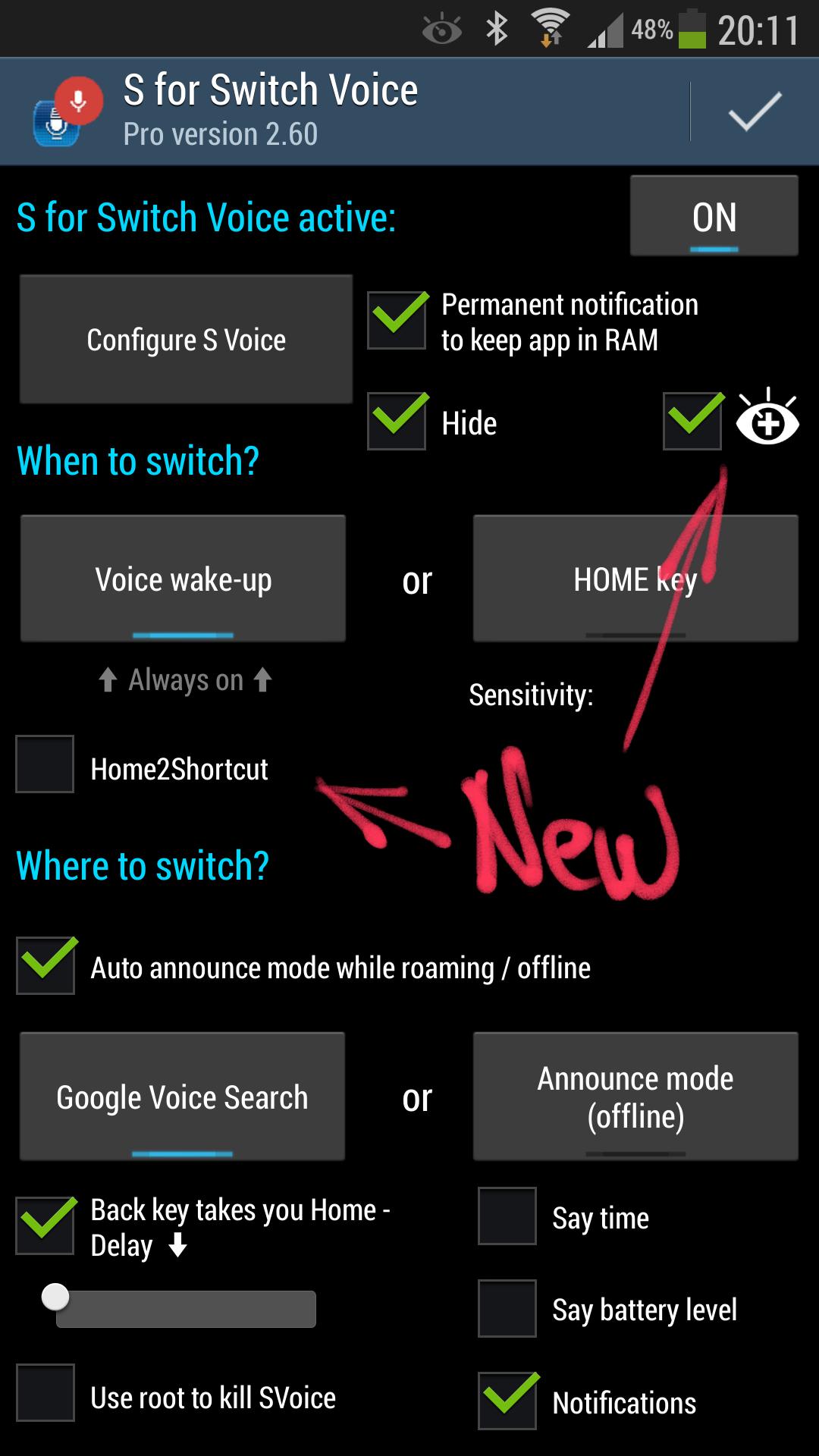
6►open it
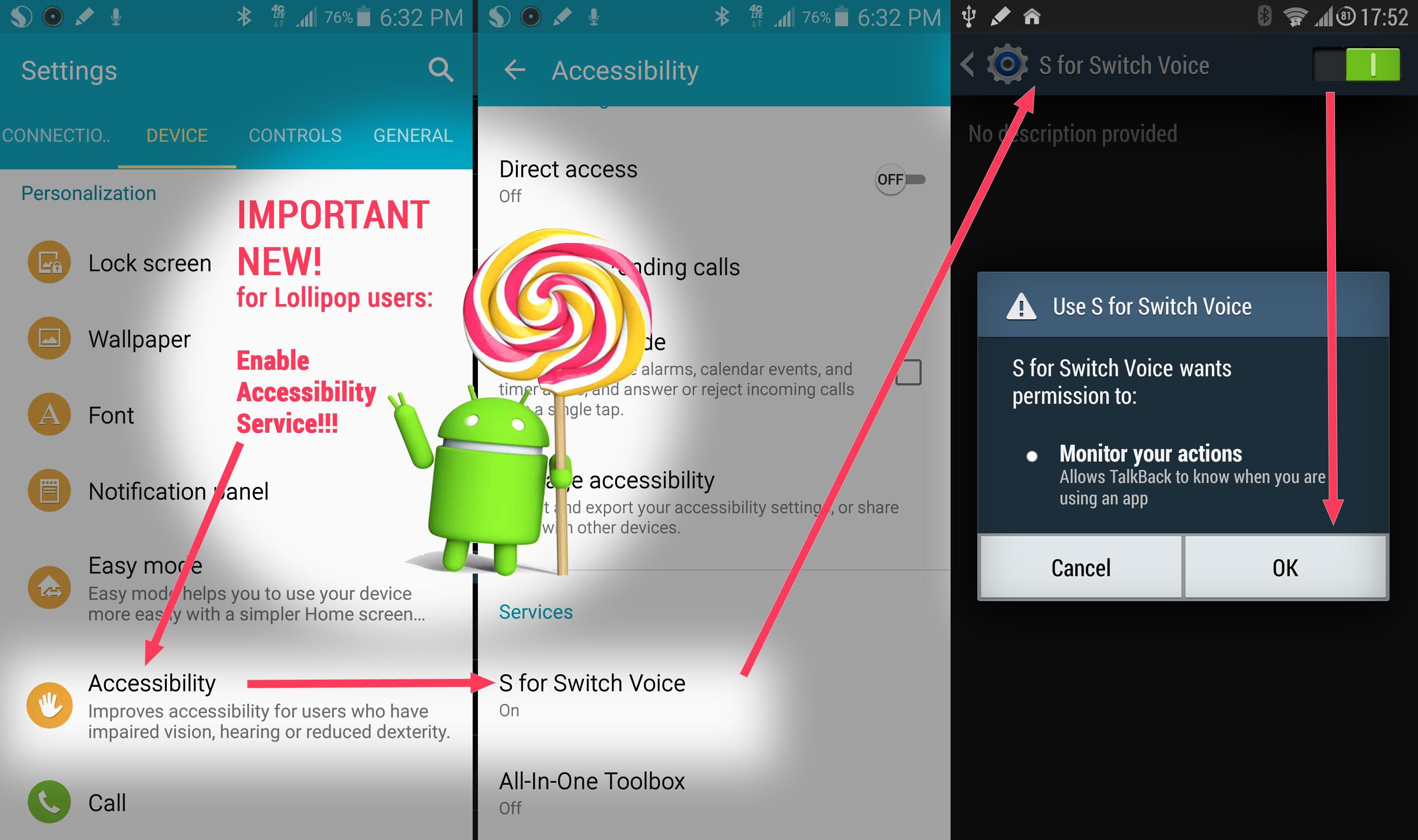
7►Lollipop (Android 5.0) enable Accessibility Service!!!
8►activate: ON (top right)
9►click checkmark
Pro benefits:
►You get to support an independent app developer who is devoted to apps which put YOU in control
►All premium features of Bubble Cloud Widgets get unlocked if SfSV Pro is installed → http://goo.gl/0PzVQi
►The app Extra Time® is included in Pro version for free! → http://goo.gl/7GVJWJ
►Option to hide notification icon
►Stays enabled at the end of the *week* The free version has a reminder built in, it needs to be re-enabled on every Sunday morning
►Offline announce mode: Instead of Google Voice Search, you can have the phone announce pre-selected information, when you wake it up by saying "Hi Galaxy". It's convenient when offline, when either S Voice or Google Search could do little. Select Offline announce mode in Settings, or have it auto enable while offline.
It can announce: time, battery or any notification using the app Touchless Notifications http://goo.gl/bXVWFB I used this mode while doing sports, I could just say "Hi Galaxy" (or "Time Galaxy") to hear the time from the phone in my pocket.
Frequently Asked Questions
►Phone doesn't wake to "Hi Galaxy"
►Device Admin? I cannot uninstall!
►How to wake Galaxy S5 using voice?
►Does it work if I use Security lock (pattern/pin/fingerprint)?
►Does it work with S Cover? Gear?
►Hiding the notification (icon)?
►"Hi Galaxy" when the screen is on?
►What is Offline Announcement mode? Touchless Notifications?
►Impact on the battery?
►Home2Shortcut?
►What's the eye icon?
:
Answers at dev's page: http://sfsv.dataglobe.eu
Permissions:
►NETWORK►WIFI=offline detection
►KEYGUARD=persistent notification keep in RAM
►SETTINGS=Extra Time














 Action
 Simulation
 RPG
RPG Sports
 Casual
 Cards
Cards Music
Music Puzzle
 Shooting
 Romance
 Business
 Social
 Lifestyle
 Shopping
 Tools
Tools Travel
 Finance
 Education
 News
News Health