 Download
Police in Motor
1.0 May 3, 2026- 8.2
- 1
- 2
- 3
- 4
- 5


Spotter & race engineer radio messages for Project Cars (PC, XBox or PS4)
Pit to car radio app for Project Cars.
This app is an alternative race engineer which contains more accurate and detailed radio messages than the built in race engineer. It knows many of the AI drivers' names which will be included in messages where appropriate, and can also be extended to include real drivers' names. It's also a spotter, and will tell you when there's a car along side. The app includes voice recognition with a set of phrases you can use to request updates from the race engineer.
The app runs in the background and continues to play messages when the screen is off or another application is being used.
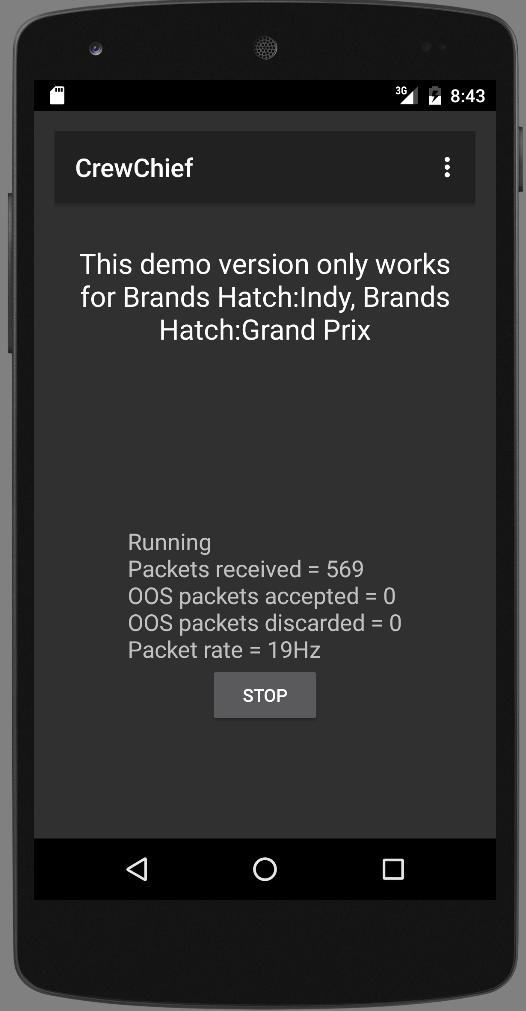
The Lite version works for all cars and tracks. It includes corner name mappings for Brands Hatch Indy and Brands Hatch Grand Prix circuits.
To use the app, your phone / tablet must be connected to via Wi-Fi to the same network that the console / PC is on, and needs a good quality connection to work properly. In the in-game options you need enable the UDP option (in the Gameplay settings). The app works best with this option set to 1, 2, or 3.
App permissions
Record audio: Needed for voice recognition.
Read external storage: Needed for future additions to the driver names the app can say.
Modify system settings: Needed to enable Wi-Fi high performance mode (this is required in order to receive the game data).
Prevent phone from sleeping: The app keeps the CPU, sound player and Wi-Fi running when the device's screen has switched off or the app is running in the background.
Voice commands
The app will respond to lots of voice commands. Using this functionality isn't necessary to get the best out of the app - it will automatically play messages it considers important without needing to be prompted - but some additional information can be obtained by using voice commands. The commands the app understands include:
How's my [engine / brakes / suspension / body work / aero] - gives a damage assessment
How's my [fuel / tyre wear] - gives an assessment of your current fuel level or tyre condition
What's fuel level - reports your fuel level (in litres)
What's my [best lap time / last lap time / position] - reports your best / last lap time (if it was a valid lap) or your position
What's my [gap in front / gap behind] - reports the time gap to the car in front / behind in the race
What's the [car in front / car behind]'s [best lap time / last lap time] - reports opponent best / last lap times
What's the [car in front / car behind / the leader]'s [best lap time / last lap time] - reports opponent best / last lap times
What's the [car in P 10]'s [best lap time / last lap time] - reports opponent best / last lap times for the specified opponent race position
What's the [air temperature / track temperature] - reports the air or track temperature
Spot / don't spot - toggles the spotter function on / off
Keep quiet / shut up / I know what I'm doing / no more updates - temporarily switches off radio messages (note that the spotter messages will continue to play)
Keep me informed / talk to me - switches radio messages back on
Repeat last message / say again / repeat please - replay the last radio message
There are other messages the app understands and this is a part of the app that will continue to grow and improve.
To use voice commands, you need to assign a button to the 'Open radio channel' action. Start Project Cars and ensure your controller is plugged in and the app's UDP option is enabled. Click the Open radio channel action in the Assign buttons screen, then click the Assign button. Then press the controller button you want to assign to this action. It the 'Hold button while talking' checkbox is selected, you must hold the button down while talking and the app will process the voice command once the button's released. If this checkbox isn't selected you can just press and release the button, make your voice command, and the app will process the command as soon as it's recognised it.









 Action
 Simulation
 RPG
RPG Sports
 Casual
 Cards
Cards Music
Music Puzzle
 Shooting
 Romance
 Business
 Social
 Lifestyle
 Shopping
 Tools
Tools Travel
 Finance
 Education
 News
News Health